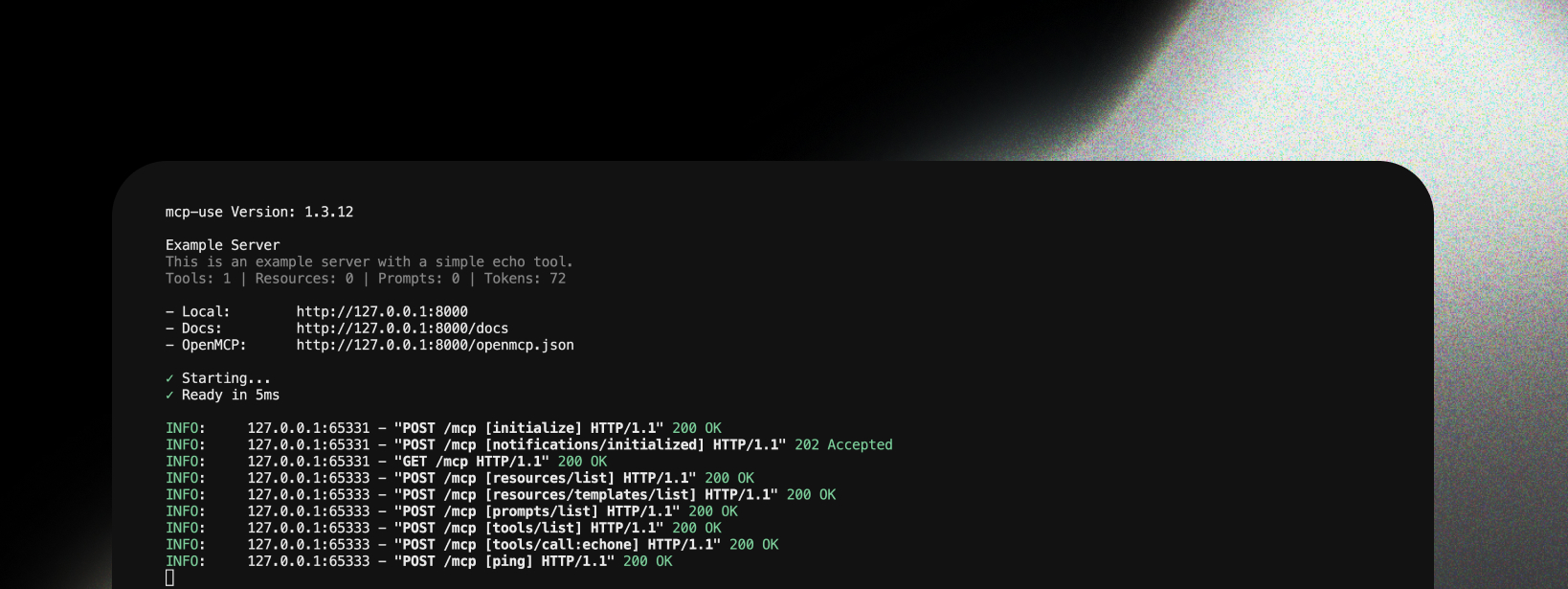
mcp-use provides clean, informative logging about MCP operations, making it easy to understand server activity and debug issues in both production and development.
MCP: prefix to differentiate them from regular HTTP logs.
Why Use MCP-Specific Logging?
This type of logging is essential because:
- Clear visibility into which MCP methods are being called
- Easy debugging of MCP protocol interactions
- Request tracking with session IDs and method names
- Production monitoring of server usage patterns
- Error tracking for tools, resources, and prompts
- Performance insights with execution timing
Log Levels
mcp-use provides three logging modes controlled by the debug parameter and DEBUG environment variable:
Production Logs (Default: debug=False)
Clean, readable logs showing MCP method calls with the MCP: prefix:
MCP:  127.0.0.1:58478 - "POST /mcp [tools/call:search] HTTP/1.1" 200
MCP:  127.0.0.1:58478 - "POST /mcp [resources/list] HTTP/1.1" 200
MCP:  127.0.0.1:58478 - "POST /mcp [initialize] HTTP/1.1" 200
Debug Logs (debug=True)
Same logs as production + development routes (inspector, docs). By default, inspector logs are hidden:
MCP:  127.0.0.1:58478 - "POST /mcp [tools/call:search] HTTP/1.1" 200
INFO: 127.0.0.1:58478 - "GET  /docs HTTP/1.1" 200
Full Debug Logs (DEBUG=2 environment variable)
Same logs as debug mode + JSON-RPC request/response logging:
MCP:  127.0.0.1:58478 - "POST /mcp [tools/call:search] HTTP/1.1" 200
MCP:  [tools/call:search] Request (45.2ms): {"jsonrpc": "2.0", "id": 1, "method": "tools/call", "params": {"name": "search", "arguments": {"query": "test"}}}
MCP:  [tools/call:search] Response: {"jsonrpc": "2.0", "id": 1, "result": {"content": [...]}}
Pretty Print Mode (pretty_print_jsonrpc=True)
For easier debugging, enable pretty-printed JSON-RPC logs with Rich panels:
server = MCPServer("my-server", pretty_print_jsonrpc=True)
MCP:  127.0.0.1:58478 - "POST /mcp [tools/call:search] HTTP/1.1" 200
╭─ tools/call:search Request ─────────────────────── 45.2ms ──╮
│ {                                                           │
│   "jsonrpc": "2.0",                                         │
│   "id": 1,                                                  │
│   "method": "tools/call",                                   │
│   "params": {                                               │
│     "name": "search",                                       │
│     "arguments": {"query": "test"}                          │
│   }                                                         │
│ }                                                           │
╰─────────────────────────────────────────────────────────────╯
╭─ tools/call:search Response ────────────────────────────────╮
│ {                                                           │
│   "jsonrpc": "2.0",                                         │
│   "id": 1,                                                  │
│   "result": {"content": [...]}                              │
│ }                                                           │
╰─────────────────────────────────────────────────────────────╯
MCP: 127.0.0.1:58478 - "POST /mcp [tools/call:search] HTTP/1.1" 200
Log Prefix
MCP: - Identifies this as an MCP-specific log (distinct from regular HTTP INFO: logs)
Client Address
127.0.0.1:58478 - The IP address and port of the client making the request
HTTP Method
POST - The HTTP method used for the request
Endpoint
/mcp - The MCP server endpoint path
MCP Method
[tools/call:search] - The specific MCP method being called (e.g., tools/call, resources/list, etc.)
HTTP Version
HTTP/1.1 - The HTTP protocol version
Status Code
200 - The HTTP response status code
Common MCP Methods
The logs clearly show which MCP methods are being called, such as:
[initialize] - Server initialization[tools/list] - Listing available tools[tools/call:search] - Calling a specific tool[resources/list] - Listing available resources[resources/read:config] - Reading a specific resource[prompts/get:assistant] - Getting a specific prompt
Configuration
Logging is automatically configured based on the DEBUG environment variable:
# Production logging (default)
python server.py

# Debug mode with development routes (inspector, docs)
DEBUG=1 python server.py

# Full debug mode with JSON-RPC request/response logging
DEBUG=2 python server.py
# Production logging (default)
server = MCPServer("my-server")
server.run(transport="streamable-http")

# Debug mode with dev routes
server = MCPServer("my-server", debug=True)
server.run(transport="streamable-http")

# Debug mode with custom paths
server = MCPServer(
    name="my-server",
    debug=True,
    mcp_path="/api/mcp",  # Custom MCP endpoint
    docs_path="/custom-docs",
    inspector_path="/custom-inspector"
)
server.run(transport="streamable-http")
Logging Options
Inspector Logs (show_inspector_logs)
By default, inspector-related logs (requests to /inspector/*) are hidden to keep the output clean. Enable them if needed:
# Hide inspector logs (default)
server = MCPServer("my-server", show_inspector_logs=False)

# Show inspector logs
server = MCPServer("my-server", show_inspector_logs=True)
show_inspector_logs=False (default):
MCP:  127.0.0.1:58478 - "POST /mcp [initialize] HTTP/1.1" 200
MCP:  127.0.0.1:58478 - "POST /mcp [tools/list] HTTP/1.1" 200
show_inspector_logs=True:
MCP:  127.0.0.1:58478 - "POST /mcp [initialize] HTTP/1.1" 200
INFO: 127.0.0.1:58478 - "GET /inspector HTTP/1.1" 200
INFO: 127.0.0.1:58478 - "GET /inspector/config.json HTTP/1.1" 200
MCP:  127.0.0.1:58478 - "POST /mcp [tools/list] HTTP/1.1" 200
Pretty Print JSON-RPC (pretty_print_jsonrpc)
Enable pretty printing to display JSON-RPC requests and responses as formatted Rich panels:
# Plain text JSON-RPC logs (default)
server = MCPServer("my-server", pretty_print_jsonrpc=False)

# Pretty-printed JSON-RPC logs with Rich panels
server = MCPServer("my-server", pretty_print_jsonrpc=True)
pretty_print_jsonrpc=False (default):
MCP:  127.0.0.1:58478 - "POST /mcp [tools/call:search] HTTP/1.1" 200
MCP:  [tools/call:search] Request (45.2ms): {"jsonrpc":"2.0","id":1,"method":"tools/call","params":{"name":"search"}}
MCP:  [tools/call:search] Response: {"jsonrpc":"2.0","id":1,"result":{...}}
pretty_print_jsonrpc=True:
MCP:  127.0.0.1:58478 - "POST /mcp [tools/call:search] HTTP/1.1" 200
╭─ tools/call:search Request ─────────────────────── 45.2ms ──╮
│ {                                                           │
│   "jsonrpc": "2.0",                                         │
│   "id": 1,                                                  │
│   "method": "tools/call",                                   │
│   "params": {"name": "search"}                              │
│ }                                                           │
╰─────────────────────────────────────────────────────────────╯
Combined Example
server = MCPServer(
    name="my-server",
    debug=True,
    show_inspector_logs=False,    # Hide inspector noise
    pretty_print_jsonrpc=True,    # Pretty-printed JSON-RPC panels
)
server.run(transport="streamable-http")
Next Steps