


Building MCP Servers the Right Way

Pietro Zullo
Co-founder
At mcp-use we built a lot of MCP servers in Python. The developer experience building them has been subpar.
The Problem
The most frustrating things for us were:
Scattered Debugging
You need separate tools to inspect your server, view logs, and test tool calls. We found ourselves often with two open terminals at all times, one running the server and one running the inspector.
Monolithic Code
As your server grows with more tools and resources, everything ends up in one file. No clean way to organize by domain.
Poor Observability
Debugging from the terminal is impossible. Standard Uvicorn logs don't tell you which MCP method was called. Was that POST request an initialize, a tools/list, or a tools/call? Good luck finding out.
No Hot Reload
Every change would require shutting down the server process, restarting it, going to the inspector, and reconnecting to the server. I count 4 steps.
The Solution: MCPServer
To solve these issues, we built MCPServer in mcp-use Python.
The server ships with features that will make your life much easier when developing:
| Feature | Description |
|---|---|
| Built-in Inspector | Visual debugging at /inspector, no external tools needed |
| Router Pattern | Organize tools into modules like FastAPI's APIRouter |
| Smart Logging | Shows [tools/call:add] instead of cryptic POST requests |
| OpenMCP Discovery | Server capabilities at /openmcp.json without needing a client |
| Hot Reload | Change code and see changes immediately in the inspector |
All of this is built on top of the official MCP Python SDK and completely compatible with it - just change the import.
Building a Server
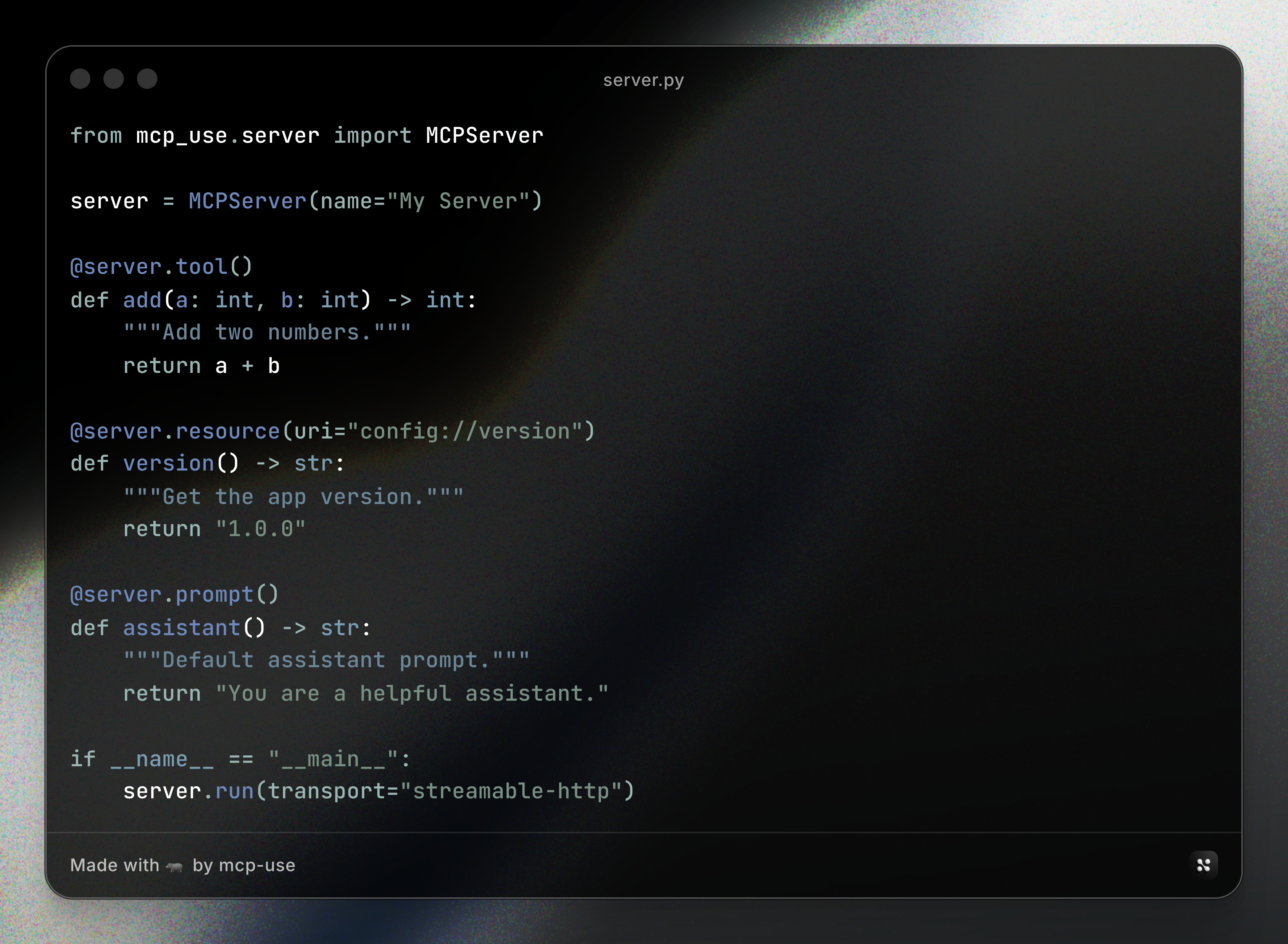
The way you build a server is the usual one - you define the server, add tools, and run it with your transport:
Server Output
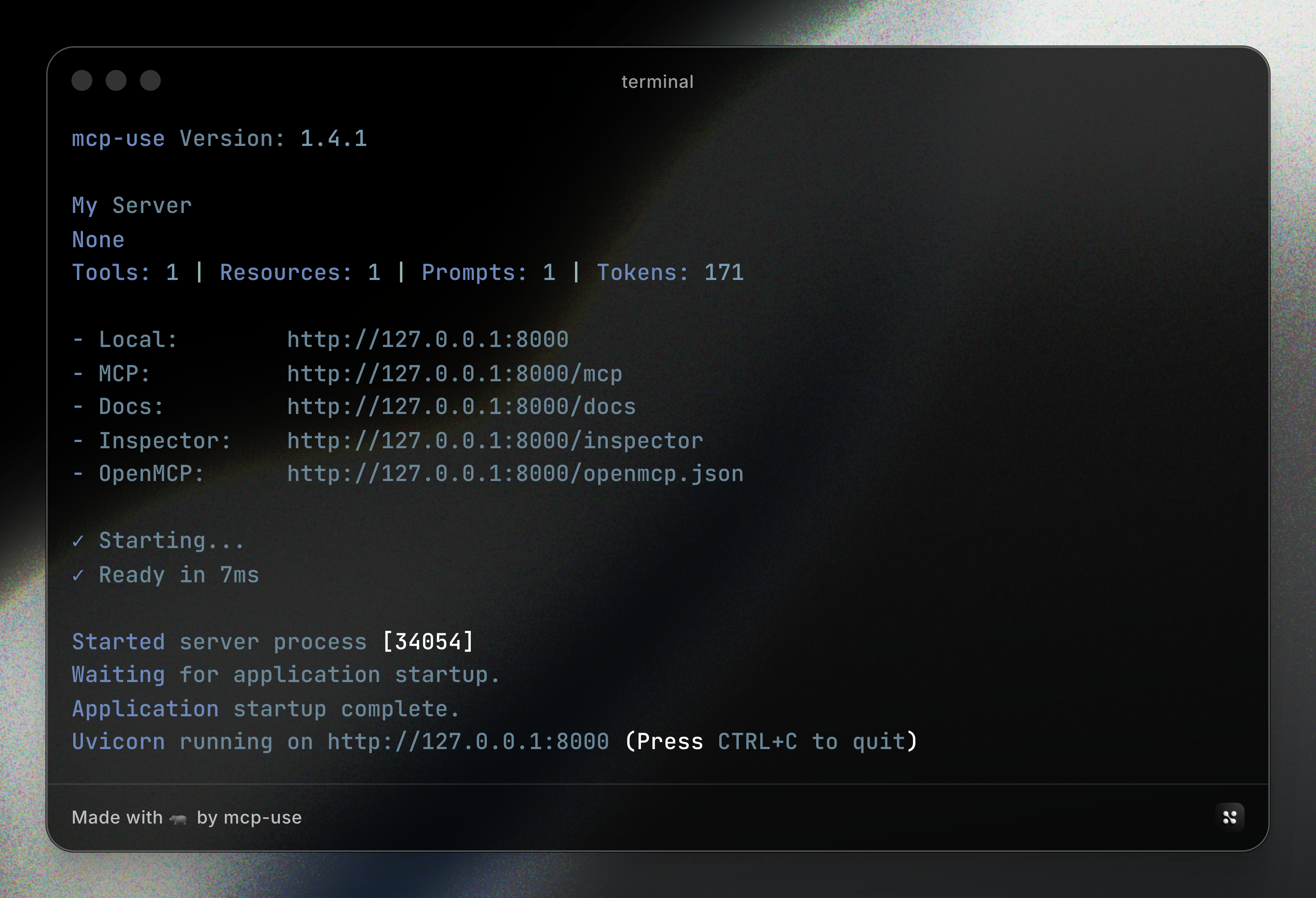
When you run it, you are welcomed by this beauty. It gives you a snapshot of your server features along with an approximate token consumption, and a bunch of utility routes that you can use to debug the server - the most important being the inspector.
Built-in Inspector
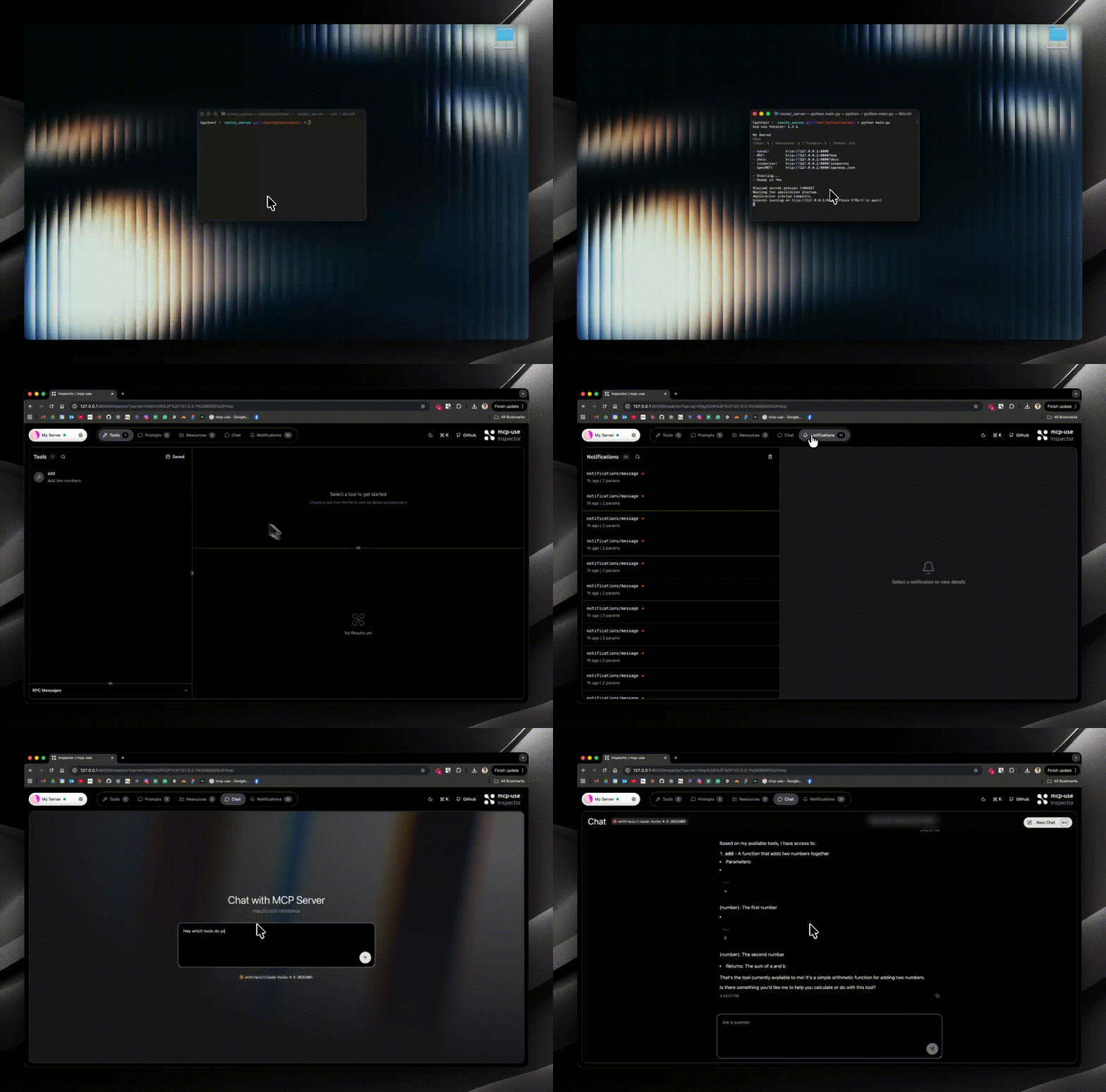
The client-side inspector we built allows us to ship it with all our servers, and auto-connect to your current server to debug it. It is a fully featured client with BYOK chat and so much more.
📖 Learn More: Check out our Inspector documentation for the full feature set.
Smart Logging
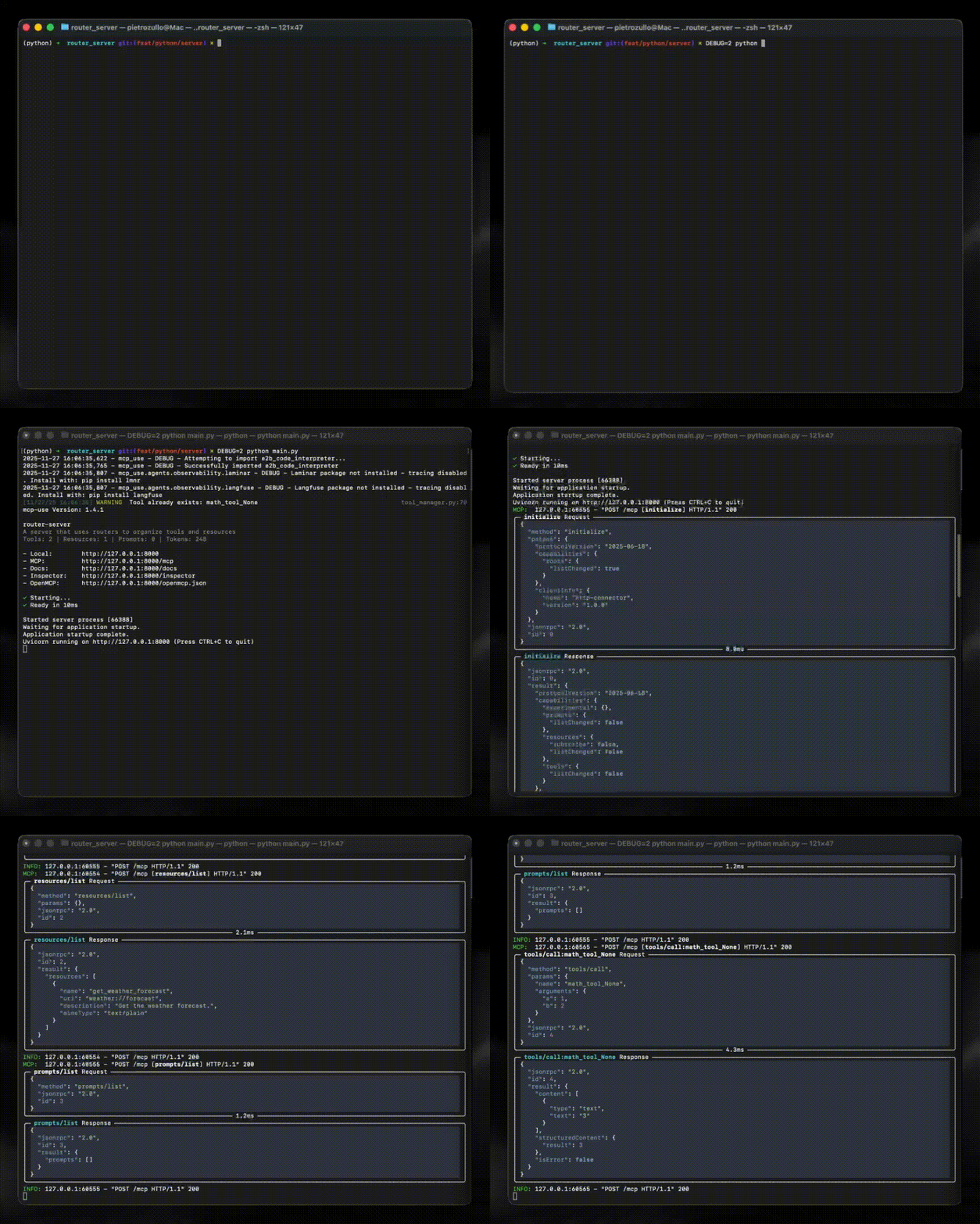
Going back to the terminal, you will see this (optionally with DEBUG=2) - full visibility into the calls that are made to the MCP and the JSON-RPC responses/requests. This makes debugging so much easier than the normal opaque POST request logs for any call.
MCP:  127.0.0.1:56655 - "POST /mcp [tools/call:add] HTTP/1.1" 200
MCP:  127.0.0.1:56655 - "POST /mcp [resources/list] HTTP/1.1" 200
MCP:  127.0.0.1:56655 - "POST /mcp [prompts/list] HTTP/1.1" 200
With DEBUG=2, you get full JSON-RPC request and response panels:
╭─ tools/call:add Request ─────────────────────────────────────────────╮
│ {                                                                    │
│   "method": "tools/call",                                            │
│   "params": { "name": "add", "arguments": { "a": 1, "b": 2 } },      │
│   "jsonrpc": "2.0",                                                  │
│   "id": 4                                                            │
│ }                                                                    │
╰─────────────────────────────────────────────────────────── 4.3ms ────╯
Router Pattern
A thing that I came across many times is that I end up with a huge single file that contains all my tools. Granted, you do not want to have many tools in an MCP server, but sometimes the file is still huge for the logic you have in single tools. And sometimes I would love to split those tools into separate semantically-separated files.
You can do that in a pure FastAPI fashion:
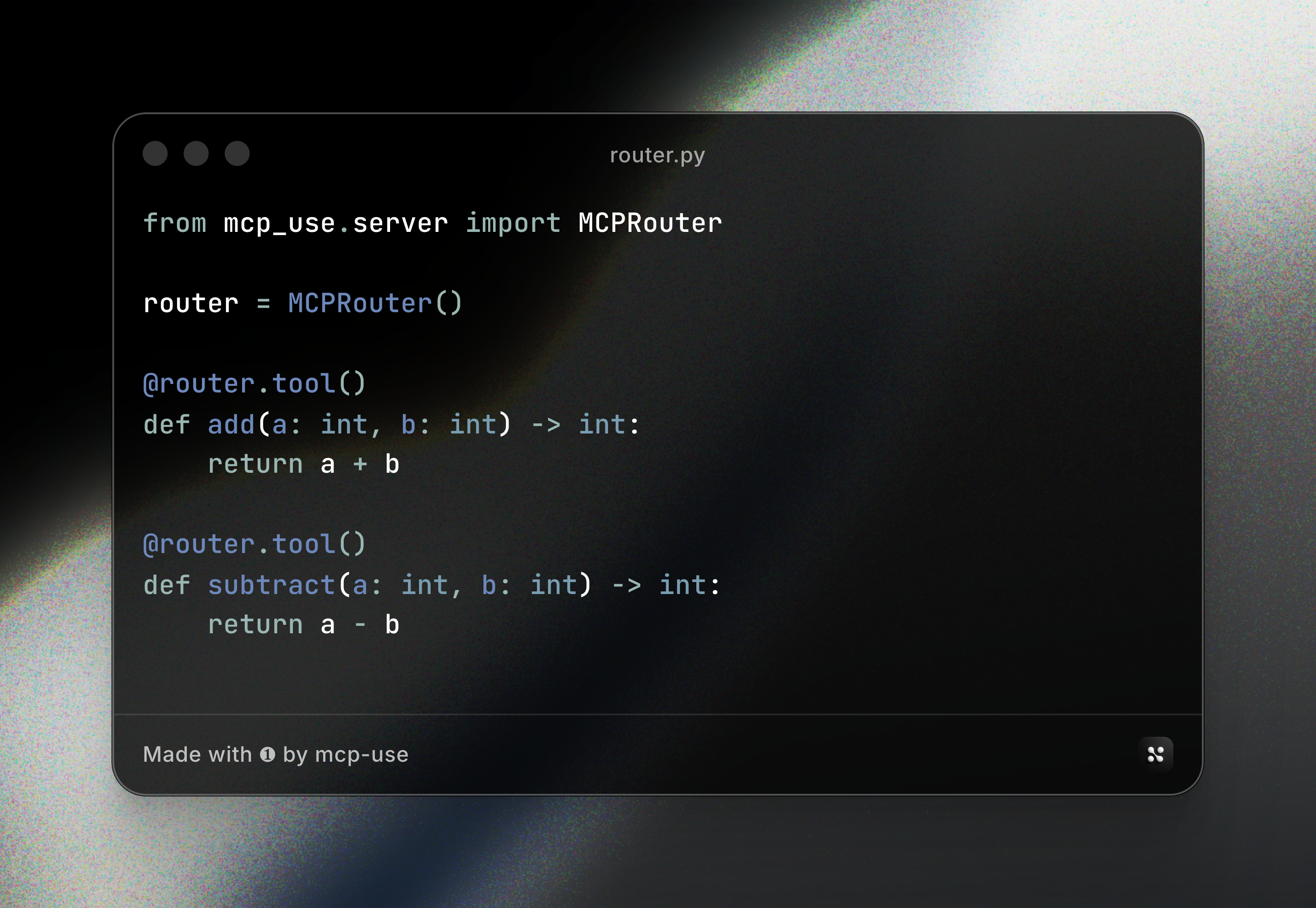
Then include it in your main server:
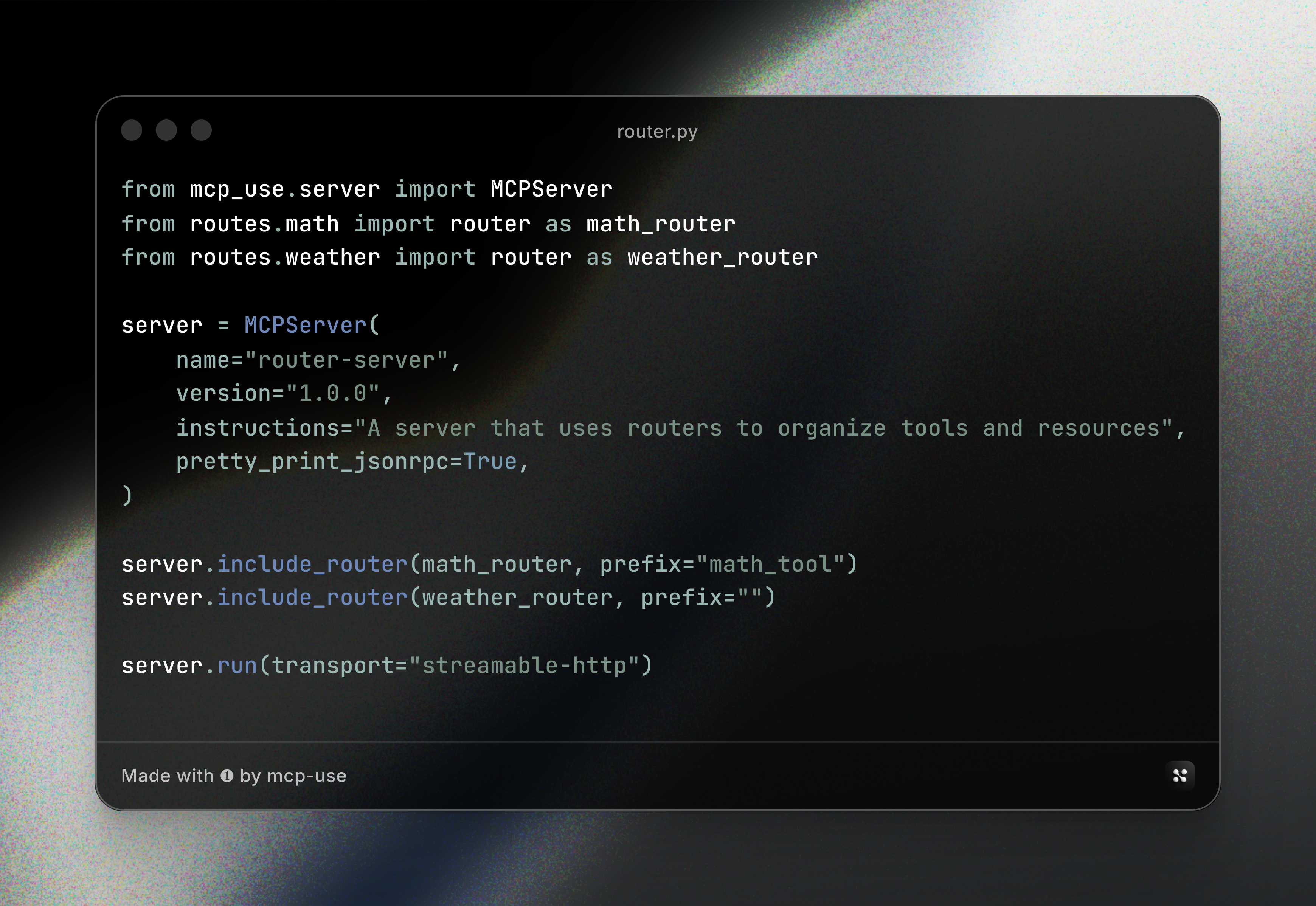
A router simply behaves as a pseudo MCP server - you define tools, resources, and prompts on it, then include it in your main server with an optional prefix for namespacing.
What's Next
I am currently porting all our MCP servers to our implementation, so this will evolve real fast. I will soon introduce:
- Authentication - Secure your MCP endpoints
- Server as Client - And client as server
- Server-side Code Mode - Execute code on the server
Let me know what you would like to see!
Getting Started
Ready to build MCP servers with a better developer experience?
- Explore the SDK: GitHub Repository
- Read the Docs: Server Documentation
- Join the Community: Discord
Conclusion
Building MCP servers doesn't have to be painful. With MCPServer, you get a batteries-included development experience with built-in debugging, modular code organization, and full observability.
Hope you like it and have some improvements to propose :)


